An audiobook player for Windows
Every audiobook you own, beautifully played.
TomeLodge plays the books already on your PC, in every common format, right where they live. It remembers your place in each one, and keeps your PCs in step over your home network.
Coming soon to the Microsoft Store
For Windows 11. Android is on the way; iPhone, iPad and Mac come later.


The library
Your books stay where they are.
Point TomeLodge at the folders you already have. It never moves your audio or writes tags into it, and only copies a book when you send it to another of your PCs. The titles, series and covers you edit live in TomeLodge, not in your files.
Plays every common format
- m4b
- m4a
- mp3
- aac
- flac
- wav
- ogg
- opus
- spx
- ape
- wv
- mpc
- aiff
Chaptered, unchaptered and multi-file books all work. TomeLodge carries its own decoder for the formats Windows cannot play, so there is nothing extra to install, and Dolby Digital Plus editions play too, folded down to stereo.
-
Covers and series
Your books as a grid of covers, grouped by series: read from the files' own tags, or worked out from their names and folders.
-
Instant search
Find any book by title, author or series as you type. Accents are ignored.
-
Edit without touching files
Fix a title, author, series or cover, from an image file or pasted from your browser. Your audio stays exactly as it was.
-
New books just appear
Copy a book into one of your folders and it joins the library within seconds. No rescan button to press.
-
Books that moved
If a book's files go missing, TomeLodge asks: find it in its new folder and keep your place and bookmarks, or let it go.
-
Favourites
Star the books you love, and show only those when you want them.
The player
A player that remembers.
Close it mid-chapter and it opens where you were. Speed, volume and skip lengths are kept for each book, so every book plays the way you left it.


-
Speed at natural pitch
From half speed to three times, without the chipmunk voices. TomeLodge only offers the speeds each file can really play.
-
Bookmarks
Mark a moment with one click, give it a name, and jump straight back to it later.
-
Sleep timer
Fades out gently over the last half minute, then offers to keep going.
-
Smart Rewind
Turn it on, and after a break the book starts a little before where you stopped, so you never lose the thread.
-
Chapters your way
Switch the scrub bar between the chapter you are in and the whole book. Skips land cleanly on chapter starts.
-
Fine scrubbing
Hold the scrub bar and slide down to slow it through four speeds, and walk the last few seconds into place.
-
Volume boost
For quiet recordings, turn on boost and take the volume past 100%, up to 200%.
-
At home in Windows
Media keys and headphone buttons work, and the Windows media card shows the book, its author and its cover.
Sync
Your PCs, in step.
TomeLodge keeps your library in step between the PCs in your home, over your own network. Open the Sync screen on both, and they find each other in seconds.
- Your place in every book follows you. The most recent listen wins, and Undo puts it back.
- Bookmarks, favourites and each book's settings come together on both PCs.
- Send whole books to your other PC, with your place, bookmarks and all. A book arrives complete or not at all.
- Before you delete a book's files, TomeLodge tells you which of your other PCs had it.
- It all stays inside your home network, over an encrypted connection. Nothing goes through the internet.


Themes
Five themes, made for listening.
Ink and paper, a cobalt pencil for the things you press, and your covers as the brightest thing on screen. Pick the one that suits the room.
-
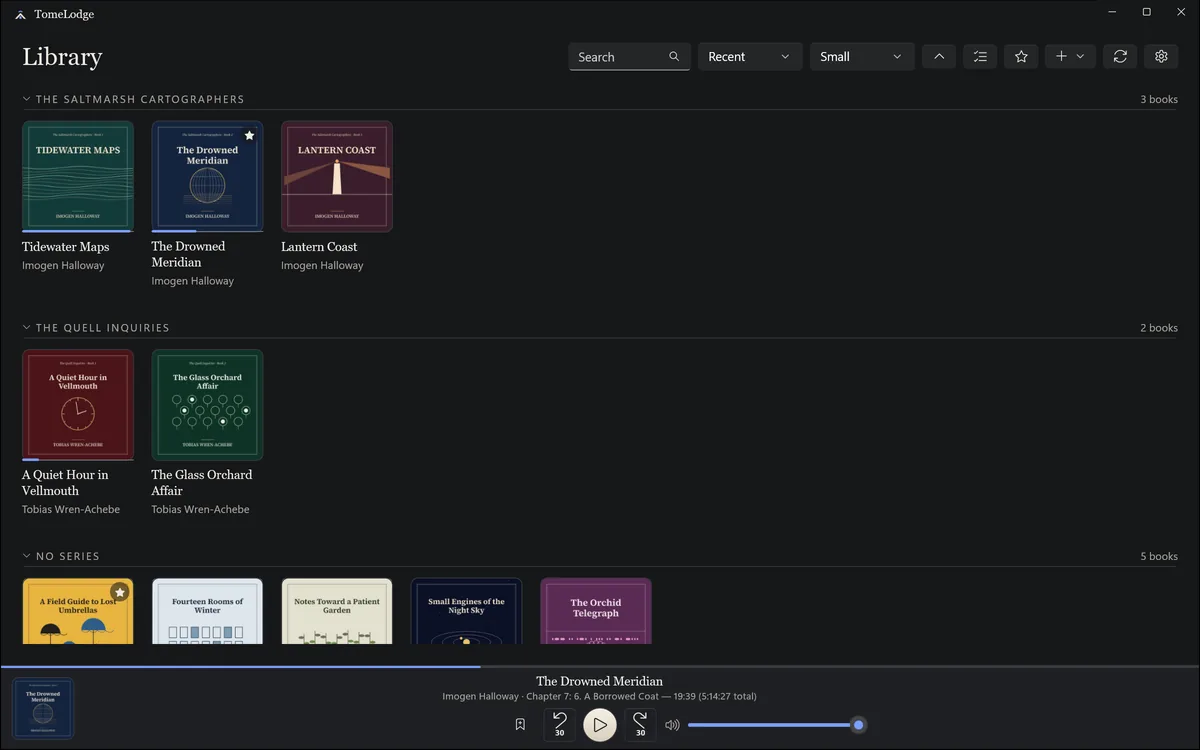
Ink
Charcoal ink, warm paper type. The default, easy for hours.
-
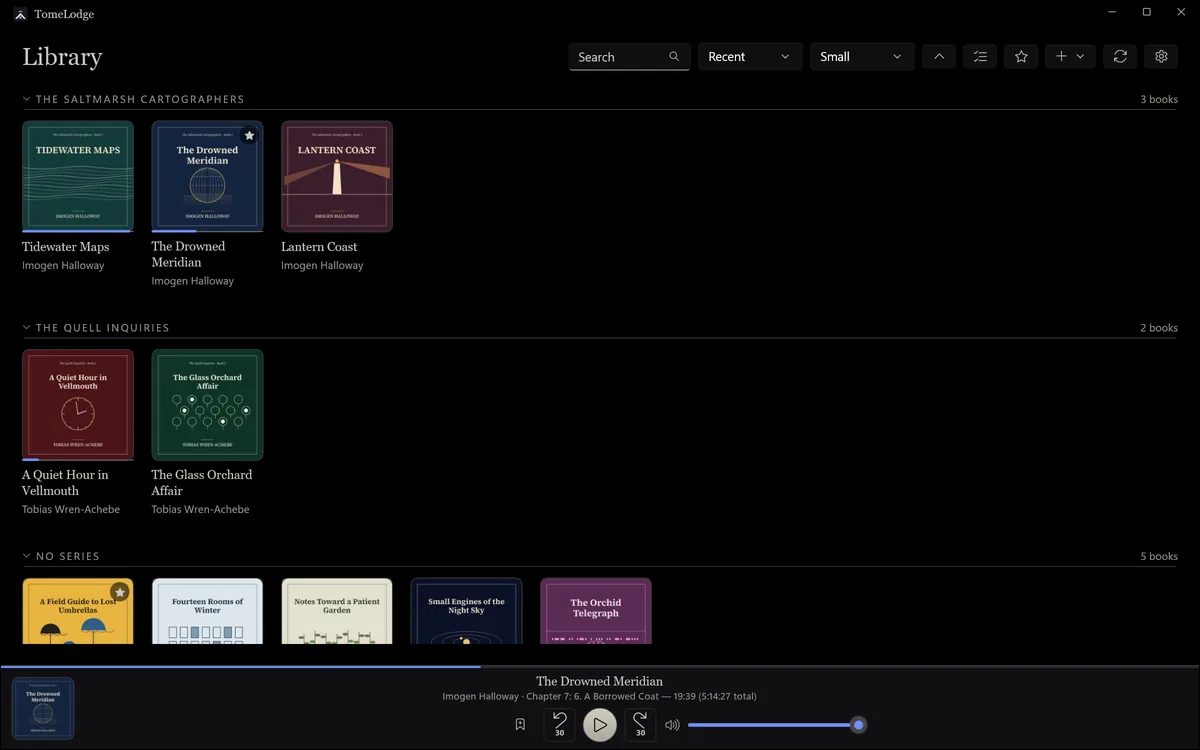
Lights Out
True black for OLED nights, with dimmed text for the least light.
-
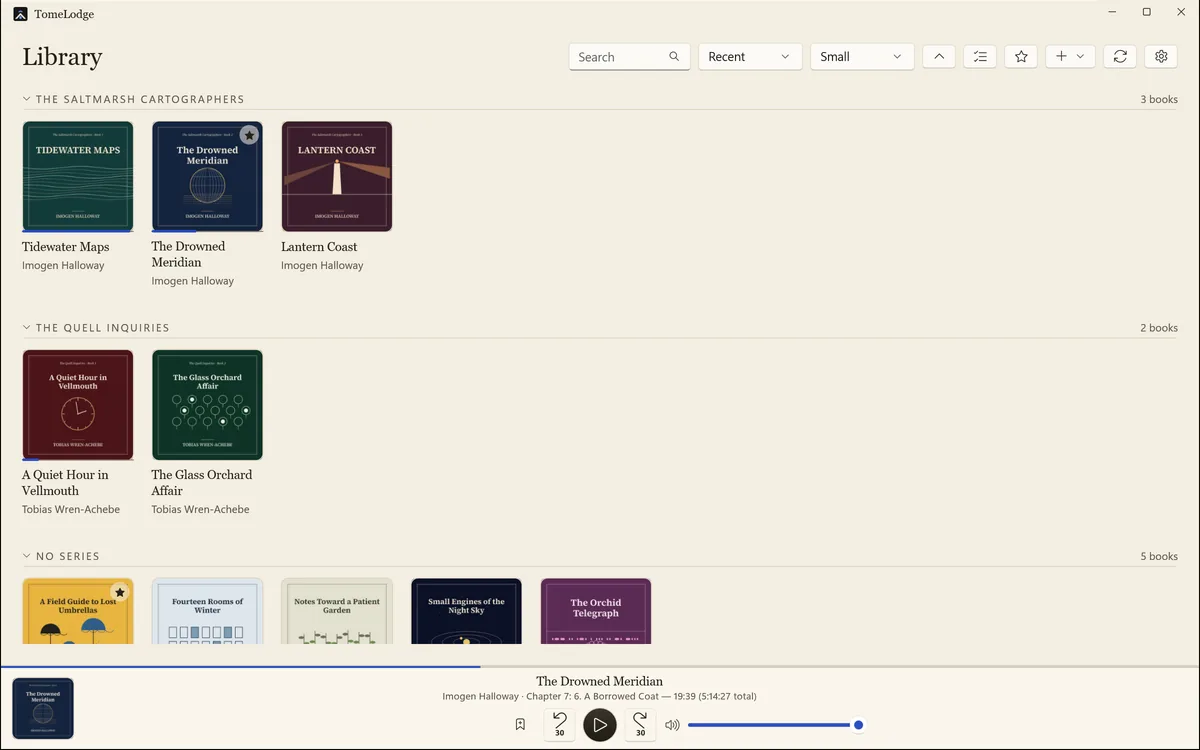
Vellum
Cream book-page warmth for daytime reading rooms.
-
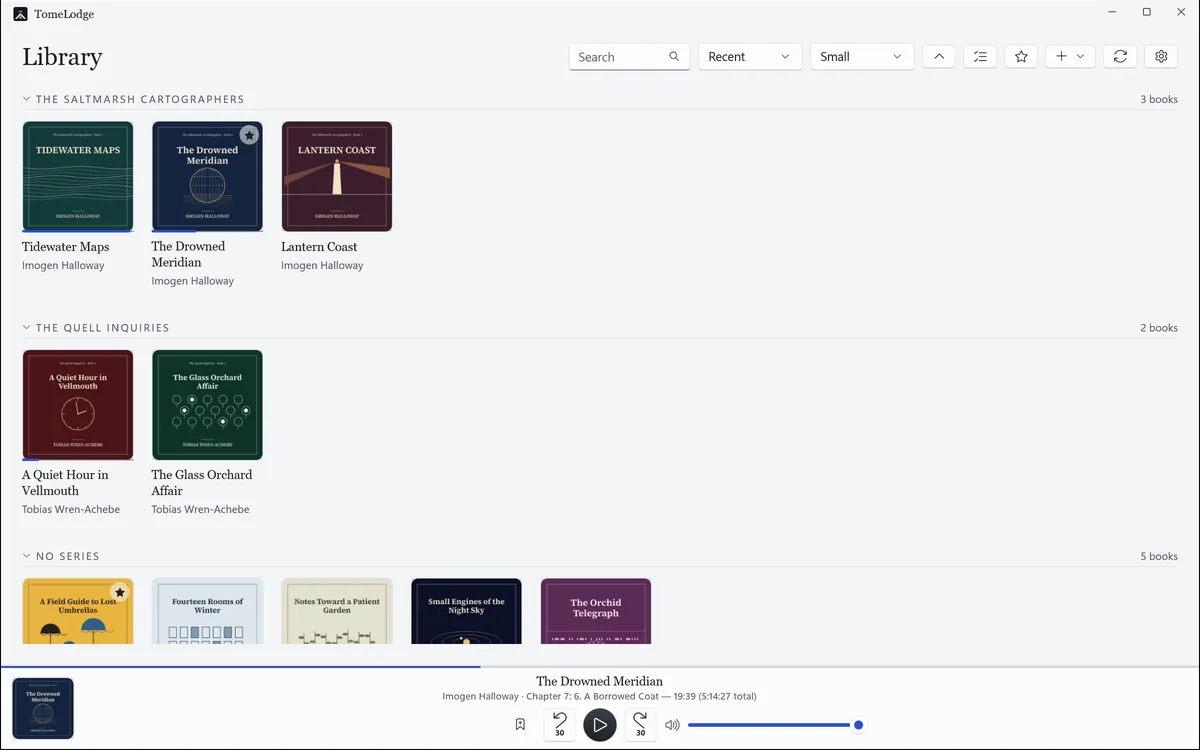
Gallery
Neutral gallery-wall grey, for the truest cover colours.
-
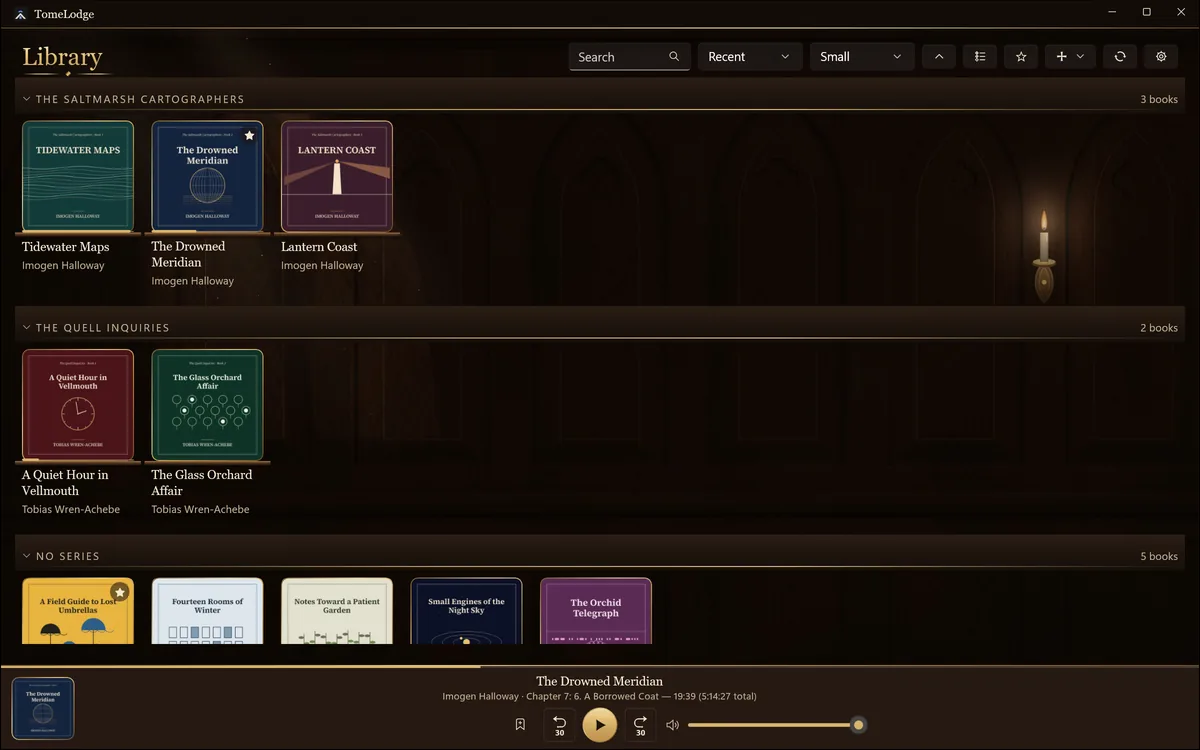
Dark Wood
Lamplit walnut and gold foil. An antique reading room for evening listening.
-
Comfortable for everyone
Text in four sizes up to 150%, on top of Windows' own. It works with Narrator. When Windows' animation effects are off, TomeLodge keeps still too.


Platforms
Windows first.
- WindowsComing soon to the Microsoft Store
- AndroidComing soon
- iPhone and iPadLater
- MacLater